Órbita
A generative instrument: FM synthesis, euclidean rhythms and phase plots. Play it in your browser, in Ableton Live as a plug-in, or on your M-VAVE FM-1. Free and open source.
Un instrumento generativo: síntesis FM, ritmos euclidianos y gráficos de fase. Tócalo en el navegador, en Ableton Live como plug-in o en tu M-VAVE FM-1. Gratis y de código abierto.
Play now
Tocar ya
Nothing to install. Chrome, Edge, Safari or Firefox, on a computer or a phone.
Nada que instalar. Chrome, Edge, Safari o Firefox, en computadora o teléfono.
Open ÓRBITA ▶Abrir ÓRBITA ▶VST3 · AU
Apple Silicon and Intel, macOS 11 or later. Plug-in plus a standalone app.
Apple Silicon e Intel, macOS 11 o posterior. Plug-in y una app independiente.
How to install ↓Cómo instalar ↓FM-1 edition
Edición FM-1
32 DX7 voices for your FM-1 and four MIDI scenes.
32 voces DX7 para tu FM-1 y cuatro escenas MIDI.
One-click installer ▶Instalador de un clic ▶All of ÓRBITA
ÓRBITA completo
The scenes, the phase plane and the web's voices on the FM-1 itself. Beta.
Las escenas, el plano de fase y las voces de la web en el propio FM-1. Beta.
How to install ↓Cómo instalar ↓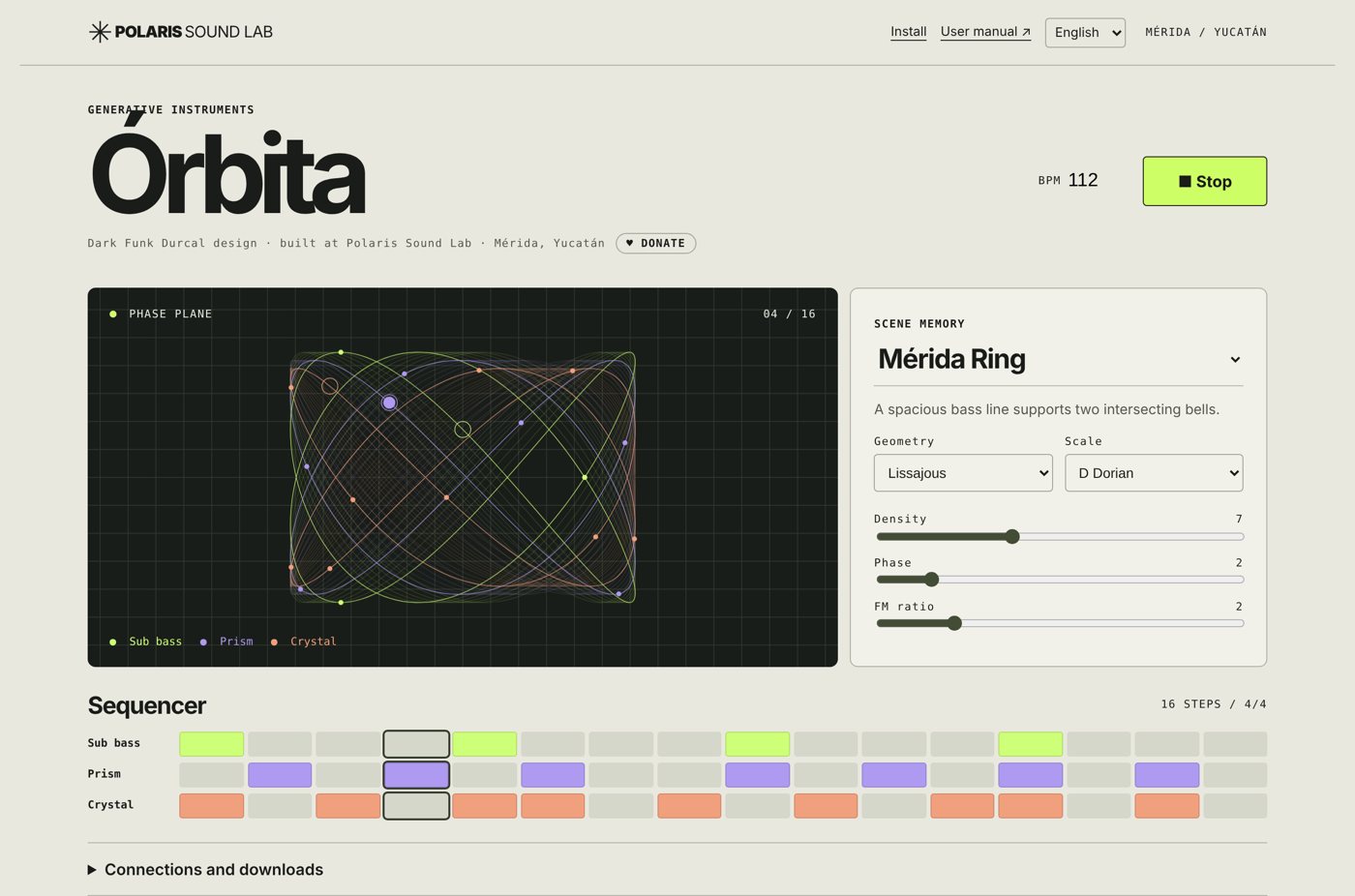
Your first minute
Tu primer minuto
- Open drophlex.github.io/ORBITA and press ▶ Play.
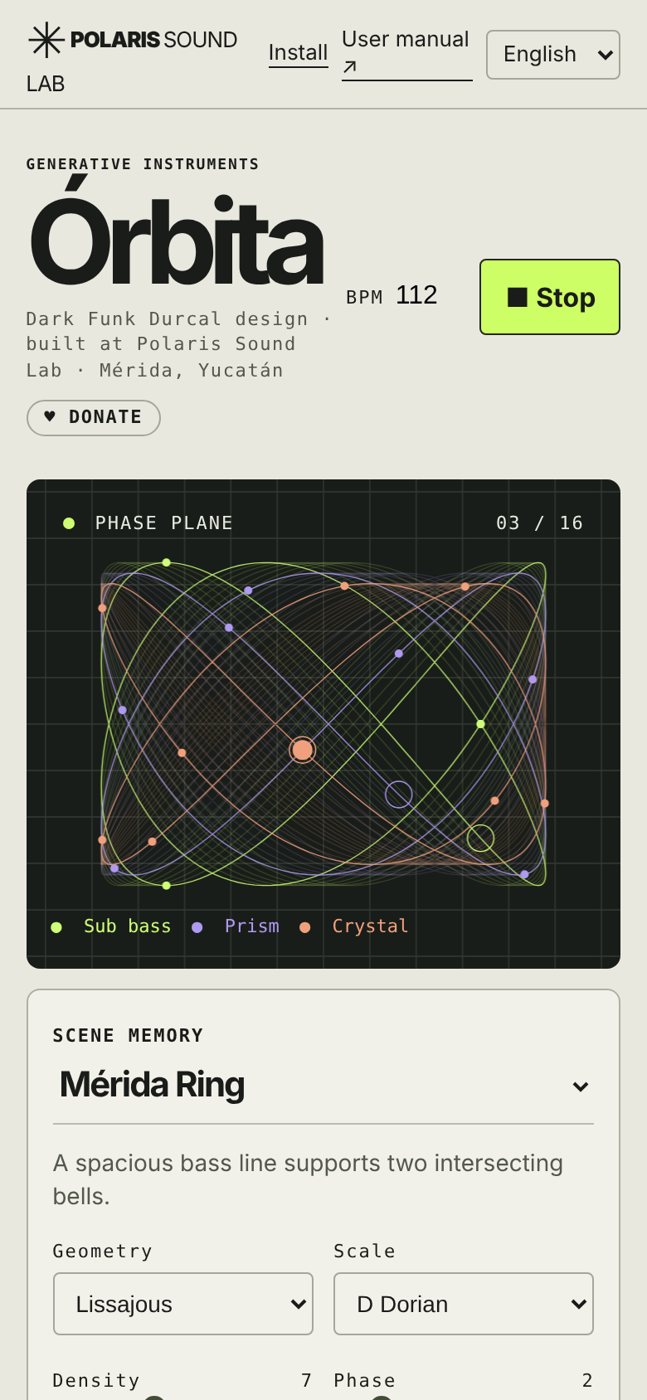
- Change the scene (Mérida Ring, Skewed Crystal, Lunar Drift, Discrete Acid): each one sets the tempo, the shape and the scale.
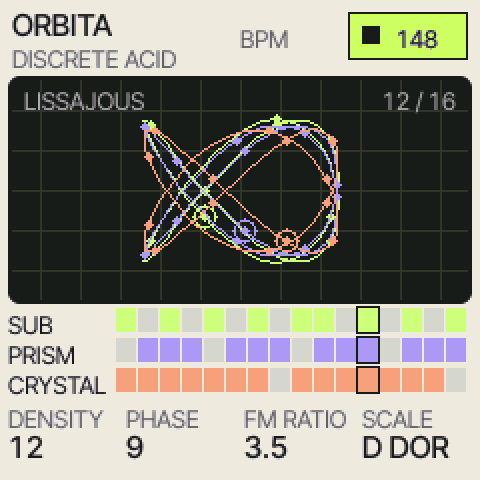
- Move Density (how many hits in the 16 steps), Phase (where they fall) and FM ratio (from warm to metallic). The orbits on the screen follow the sound.
- Tap a voice's name in the sequencer to mute it. Geometry and Scale change the melody.
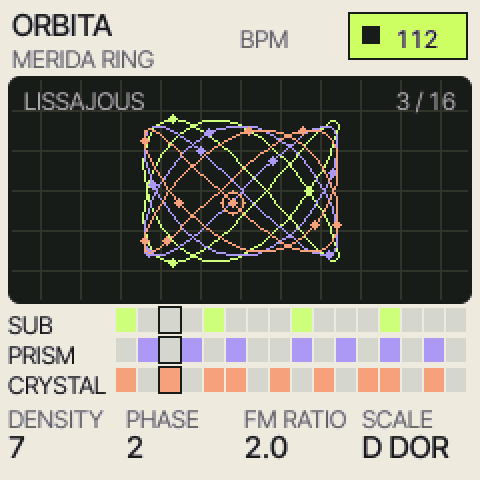
- Connections and downloads → Export MIDI clip gives you the pattern for any DAW. With an FM-1 on USB, Detect FM1 / MIDI plays the three voices on channels 1, 2 and 3.
- Abre drophlex.github.io/ORBITA y pulsa ▶ Tocar.
- Cambia la escena (Anillo de Mérida, Cristal sesgado, Deriva lunar, Ácido discreto): cada una fija tempo, figura y escala.
- Mueve Densidad (cuántos golpes en los 16 pasos), Fase (dónde caen) y Relación FM (de cálido a metálico). Las órbitas en pantalla siguen al sonido.
- Toca el nombre de una voz en el secuenciador para silenciarla. Geometría y Escala cambian la melodía.
- Conexiones y descargas → Exportar clip MIDI te da el patrón para cualquier DAW. Con un FM-1 por USB, Detectar FM1 / MIDI toca las tres voces por los canales 1, 2 y 3.
The language switch is in the top bar (English / Español); it is remembered.
El cambio de idioma está en la barra superior (English / Español) y se recuerda.
Install the plug-in (VST3 · AU)
Instala el plug-in (VST3 · AU)
Easiest: open Terminal (⌘ + Space, type “Terminal”), paste this line and press Return:
Lo más fácil: abre Terminal (⌘ + Espacio, escribe “Terminal”), pega esta línea y pulsa Retorno:
curl -fsSL https://drophlex.github.io/ORBITA/install.sh | bash- It downloads the latest release and puts Polaris Orbita in your VST3 and Audio Units folders, and the app in ~/Applications.
- In Ableton Live: Settings → Plug-ins, turn on Use VST3 Plug-in System Folders (or Audio Units) and press Rescan.
- In the browser: Plug-ins → Polaris Sound Lab → Polaris Orbita. Drag it onto a MIDI track and play a minor chord.
- Turn on Sequence with Live and press play in Live: Pulses / 16 spreads the hits over sixteen steps, following Live's tempo and bar. Every control can be automated and is saved with the set.
- To update, run the same line again.
- Descarga la versión más reciente y pone Polaris Orbita en tus carpetas VST3 y Audio Units, y la app en ~/Applications.
- En Ableton Live: Ajustes → Plug-ins, activa Usar carpetas de sistema VST3 (o Audio Units) y pulsa Volver a escanear.
- En el navegador: Plug-ins → Polaris Sound Lab → Polaris Orbita. Arrástralo a una pista MIDI y toca un acorde menor.
- Activa Secuencia con Live y dale play en Live: Pulsos / 16 reparte los golpes en dieciséis pasos, siguiendo el tempo y el compás de Live. Todos los controles se pueden automatizar y se guardan con el set.
- Para actualizar, vuelve a ejecutar la misma línea.
Prefer the download? Unzip ORBITA-mac.zip, right-click Install-ORBITA.command → Open → Open. If macOS refuses it: System Settings → Privacy & Security → Open Anyway. The language of the plug-in's panel (English / Español) is saved with each instance.
¿Prefieres la descarga? Descomprime ORBITA-mac.zip, clic derecho en Install-ORBITA.command → Abrir → Abrir. Si macOS lo rechaza: Ajustes del Sistema → Privacidad y seguridad → Abrir igualmente. El idioma del panel del plug-in (English / Español) se guarda con cada instancia.
Load the FM-1 edition
Carga la edición FM-1
Open the FM-1 installer ▶Abrir el instalador para FM-1 ▶
- Connect the FM-1 to your computer with a USB data cable and turn it on.
- Open the installer in Chrome or Edge and press Connect and install ÓRBITA; allow MIDI.
- It finds the FM-1, writes the 32 voices and reads them back: wait for the check mark.
- On ANDROMEDA, Dark Funk Durcal or Felucca: pick a track, hold EDIT + the 2nd white key (FM6), then on HOME turn KNOB 4 (SLOT) to B1…B32. On the official M-VAVE firmware the FM-1 asks where to save the bank.
- Play ÓRBITA's scenes into it from the web (Connections → Detect FM1 / MIDI) or from Live with the clips in the zip.
- Conecta el FM-1 a tu computadora con un cable USB de datos y enciéndelo.
- Abre el instalador en Chrome o Edge y pulsa Conectar e instalar ÓRBITA; permite el MIDI.
- Encuentra el FM-1, escribe las 32 voces y las vuelve a leer: espera la palomita.
- En ANDROMEDA, Dark Funk Durcal o Felucca: elige una pista, mantén EDIT + la 2ª tecla blanca (FM6) y en HOME gira la PERILLA 4 (SLOT) a B1…B32. En el firmware oficial de M-VAVE el FM-1 pregunta dónde guardar el banco.
- Tócale las escenas de ÓRBITA desde la web (Conexiones → Detectar FM1 / MIDI) o desde Live con los clips del zip.
ORBITA-FM1.zip (voices, scenes, manuals) ↓ORBITA-FM1.zip (voces, escenas, manuales) ↓
The edition is voices and MIDI, not a firmware: nothing on the FM-1 is replaced. The installer was checked against the FM-1 firmware's own code on a computer (every reply, the 32 names read back, each voice played: no clipping); on a physical FM-1 it has not been tried yet. The modulo folder holds the source of an ÓRBITA instrument for the community firmware fm1-dock (Lissajous figure and euclidean sequencer on the FM-1's screen); it is not compiled for the FM-1 yet.
La edición son voces y MIDI, no un firmware: no se reemplaza nada en el FM-1. El instalador se comprobó contra el propio código del firmware del FM-1 en una computadora (cada respuesta, los 32 nombres leídos de vuelta, cada voz tocada: sin saturación); en un FM-1 físico todavía no se ha probado. La carpeta modulo trae el código de un instrumento ÓRBITA para el firmware comunitario fm1-dock (figura de Lissajous y secuenciador euclidiano en la pantalla del FM-1); aún no está compilado para el FM-1.
The whole of ÓRBITA on the FM-1
ÓRBITA completo en el FM-1
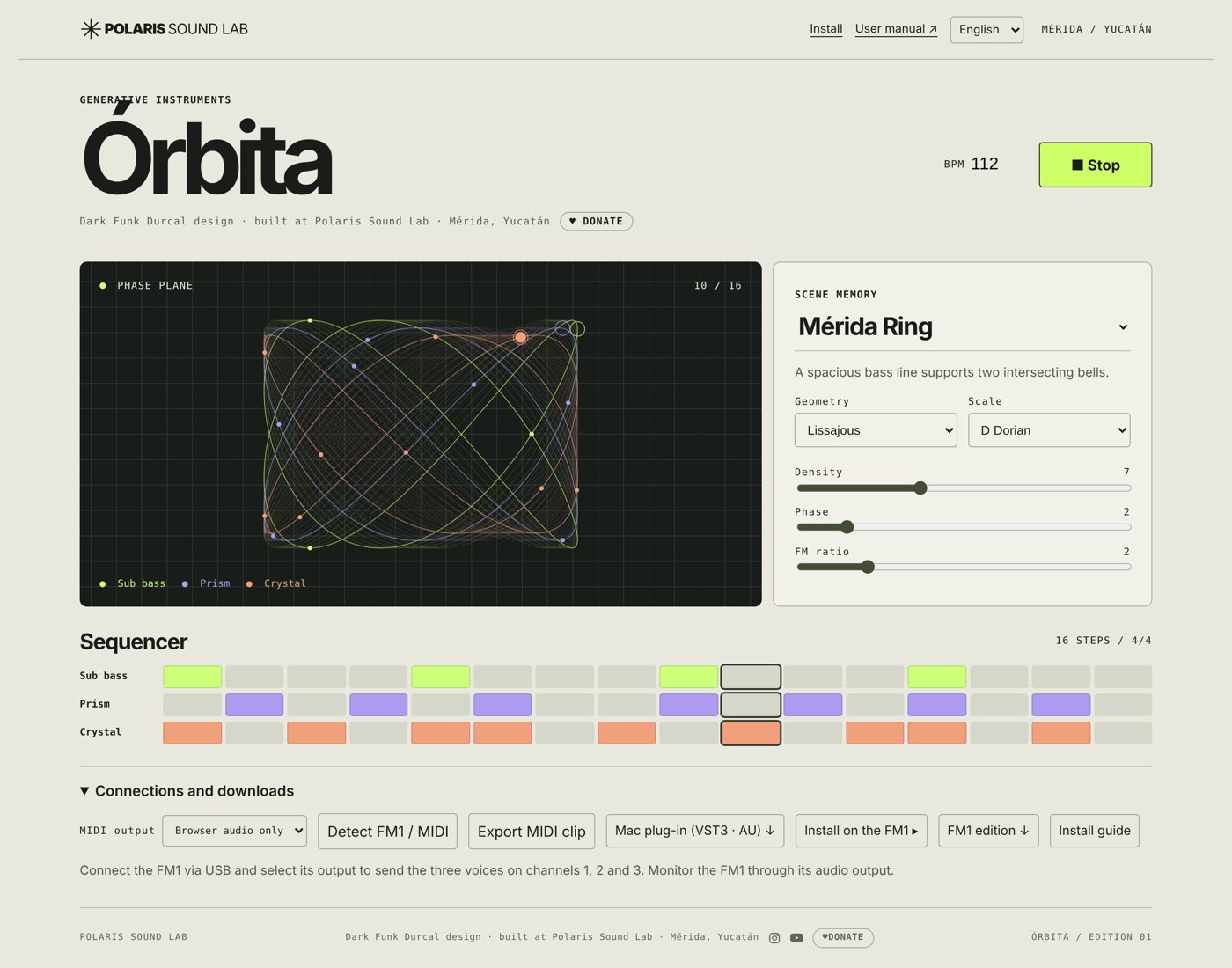
A firmware that turns the FM-1 into ÓRBITA itself: the four scenes, the phase plane on its screen, the same patterns as the web (density, phase, geometry, scale) and the web's own three voices, SUB, PRISM and CRYSTAL. It runs on Felucca 1.8.2's drivers (GPL-3.0) with a screen of its own.
Un firmware que convierte el FM-1 en ÓRBITA: las cuatro escenas, el plano de fase en su pantalla, los mismos patrones que la web (densidad, fase, geometría, escala) y las tres voces originales de la web, SUB, PRISM y CRYSTAL. Corre sobre los drivers de Felucca 1.8.2 (GPL-3.0) con una pantalla propia.
Open the firmware installer ▶Abrir el instalador del firmware ▶
- Connect the FM-1 with a USB data cable and turn it on. Use Chrome or Edge on a computer.
- Open the installer, press Install and allow MIDI. When it asks, save the backup of your FM-1 to your computer.
- Wait until it says Done: the FM-1 restarts showing three orbits and O R B I T A. Don't unplug it while it writes.
- To go back: the same page has Return to official firmware (pick M-VAVE's FM-1.fwsc, V15 or V16).
- Conecta el FM-1 con un cable USB de datos y enciéndelo. Usa Chrome o Edge en una computadora.
- Abre el instalador, pulsa Instalar y permite el MIDI. Cuando lo pida, guarda el respaldo de tu FM-1 en la computadora.
- Espera a que diga Listo: el FM-1 se reinicia mostrando tres órbitas y O R B I T A. No lo desconectes mientras escribe.
- Para volver: la misma página tiene Volver al firmware oficial (elige el FM-1.fwsc de M-VAVE, V15 o V16).
| Control | Control | On ÓRBITA | En ÓRBITA |
|---|---|---|---|
| PLAY | start / stop | arranca / detiene | |
| PRESETS · OCT− / OCT+ | scene: Mérida Ring, Skewed Crystal, Lunar Drift, Discrete Acid | escena: Mérida Ring, Skewed Crystal, Lunar Drift, Discrete Acid | |
| KNOB 1 · 2 · 3 · 4 | density · phase · FM ratio · scale | densidad · fase · relación FM · escala | |
| ALGO | geometry | geometría | |
| SELECT | tempo (40–220 BPM) | tempo (40–220 BPM) | |
| FX · SCL · ENV | mute SUB · PRISM · CRYSTAL | silenciar SUB · PRISM · CRYSTAL | |
| LFO | voice set: ORIGINAL (the web's) or one of four sets of the 32 FM voices | juego de voces: ORIGINAL (las de la web) o uno de cuatro juegos de las 32 voces FM | |
| EDIT · HOME | English / Español · info | English / Español · información |
Beta. Built and tested on a computer: its notes match the web's in every setting (42,480 notes), its voices match the web's sound, and the complete Felucca test suite (audio, storage, the updater, power cuts) passes. It has not been tried on a physical FM-1 yet: try it with the backup saved.
Beta. Compilado y probado en computadora: sus notas coinciden con las de la web en cada ajuste (42,480 notas), sus voces suenan como las de la web y pasa todo el conjunto de pruebas de Felucca (audio, memoria, el actualizador, cortes de corriente). Aún no se ha probado en un FM-1 físico: pruébalo con el respaldo guardado.
User manual
Manual de usuario
17 illustrated pages, from installing to playing: web, Ableton Live and FM-1, recipes and answers.
17 páginas ilustradas, de la instalación a tocar: web, Ableton Live y FM-1, recetas y respuestas.